The right wine, down to the vintage
A producer may make a dozen cuvées, and no two vintages are quite the same. SmartCellar reads the label and looks for the same wine and year in our database, so you start with the bottle in front of you.
Photograph the label and let SmartCellar do the typing. Discover the grapes and the place, read about the wine’s character and find a good occasion to open it.
One cellar and up to 50 bottles, free. No card required.
Open Add wine and take a clear photograph. You can also look up a wine by name or enter it by hand.
Review the producer, wine and year against the bottle in front of you.
Enter the quantity and choose your cellar. Add a rack or shelf name so you can find it again.
Open the wine record to check its details. Ask Cella what you might serve with a bottle you own.
A producer may make a dozen cuvées, and no two vintages are quite the same. SmartCellar reads the label and looks for the same wine and year in our database, so you start with the bottle in front of you.
When there is more to discover, SmartCellar looks through producers’ information, merchants’ listings and published wine writing. It checks the producer, cuvée and vintage as it gathers the information, bringing the useful findings into your wine profile.
Learn which grapes make up the wine and where they were grown, with a description of its character. Food pairings can give you an idea for dinner; drinking guidance helps you decide what to enjoy now and what to put away. Suggestions can also draw on the grape, region and style when published guidance is scarce.
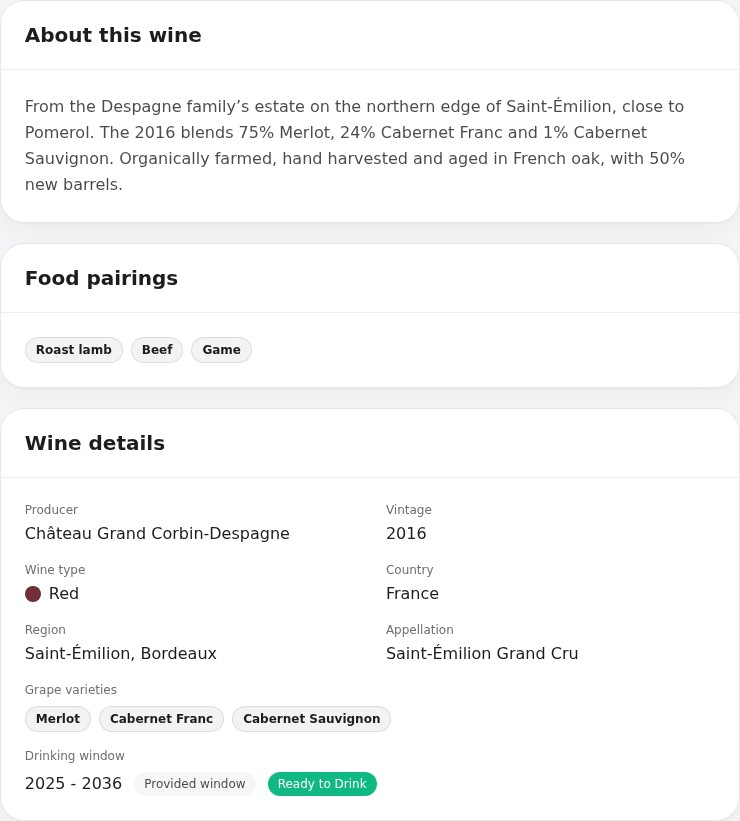
Published tasting notes offer another way into a wine, whether you’re looking for its youthful fruit or the savoury character that comes with age. Critic scores and awards appear where available. Your own impressions join them as you open the bottles.
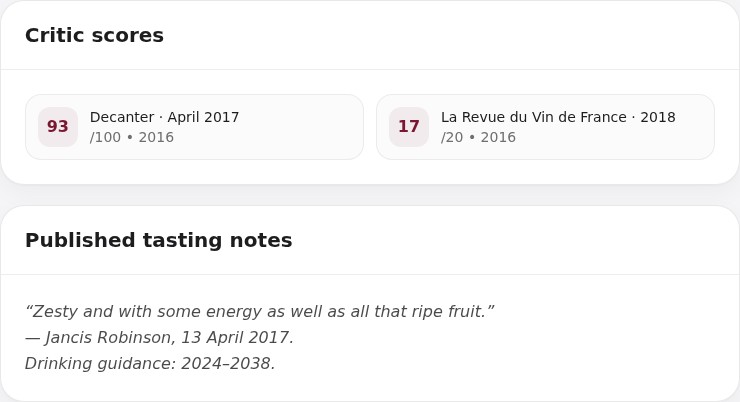
The research stays with the wine in your cellar. Add what you paid and where you put the bottles, then return to your notes when you buy again, plan a dinner or open the next one. If you already know the wine’s name, you can search for it without taking a photograph.
No. You’ll see the wine before it is added. Make sure it is the right bottle and vintage, say how many you have and save it to your cellar.
SmartCellar can research it using the producer, wine name and vintage. Take a photograph of the label or enter the name yourself; the information it finds becomes the wine’s profile.
A label scan helps you discover a wine and add it to your collection. A wine-list scan helps you choose something to enjoy at a restaurant, taking your meal, budget and tastes into account.
One cellar and up to 50 bottles. No card required.