What to write
Describe what you noticed and how much you enjoyed it. A note about the food or time in the glass may help explain how the wine showed.
Keep your impressions alongside the bottle: how it tasted, what you ate with it and whether you would buy it again.
One cellar and up to 50 bottles, free. No card required.
Describe what you noticed and how much you enjoyed it. A note about the food or time in the glass may help explain how the wine showed.
Write a few lines, or take your time over the wine’s appearance, aromas, flavour and finish. There’s room for a rating, the occasion and a photograph. The wines you rate highly also help Cella understand your taste.
Find the wine in your cellar and choose Record opened bottle. Enter the number opened and your tasting note, then save. The bottle count is reduced in the same action.
The wine, the food, the occasion: a few words can bring it all back when you choose the next bottle.
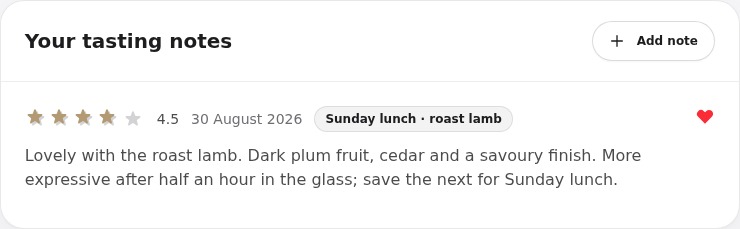
Browse Tasting history or open the wine record to read previous notes. If you have more bottles, use what you learned to review your personal drinking window.
Notes are private by default. You can create a public link to a selected note and disable it later. Check the text and photograph before sharing; anyone with the link can view it.
No. A few words about what you enjoyed are enough. There are structured tasting fields if you’d like to go into more detail.
Add the wine to your cellar first. You can then save your tasting note when you open it.
Yes, when you record an opening. Tell SmartCellar how many bottles you opened and it will subtract them from your cellar.
One cellar and up to 50 bottles. No card required.