Your ready-to-drink wines
Choose from wines that are ready for dinner, or revisit a bottle you have been saving. Filter by drinking window to see what is ready and where it is stored.
Find bottles that are ready to enjoy and follow the ones you’re keeping. Your tasting notes help you judge how each wine is developing.
One cellar and up to 50 bottles, free. No card required.
Select a wine to see more
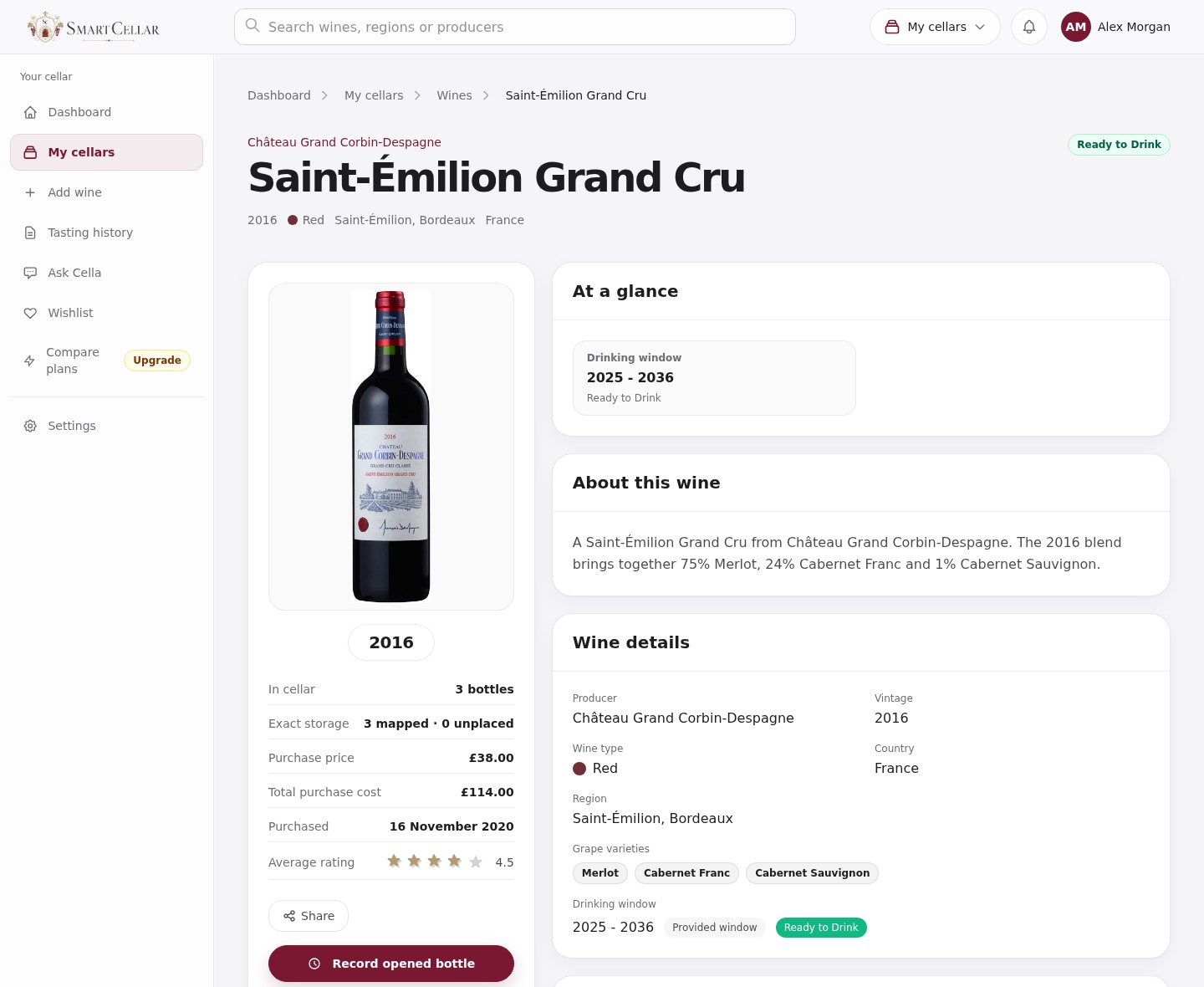
Merlot, Cabernet Franc, Cabernet Sauvignon
2025–2036
Lovely with the roast lamb. Dark plum fruit, cedar and a savoury finish. More expressive after half an hour in the glass; save the next for Sunday lunch.
Choose from wines that are ready for dinner, or revisit a bottle you have been saving. Filter by drinking window to see what is ready and where it is stored.
Was it still rather closed, beginning to fade or drinking beautifully? A short note will help you decide when to open the others.
Choose email reminders as wines approach their drinking windows, or a weekly summary of your cellar. It’s a useful nudge to revisit a bottle you’ve tucked away.
Perhaps you love the freshness of younger wine, or prefer the savoury complexity that comes with age. Set your own drinking dates to reflect your taste and how the last bottle showed.
Suppose a wine has a suggested window of 2026–2032, but the bottle you open seems too young for your taste. You could set your own window to begin in 2027 and note why. Keep the note for the remaining bottles.
If you do not know how a wine was stored, note that in its record. A suggested end year cannot tell you the condition of the bottle.
In Settings, choose reminders for wines approaching their window, ready to drink or nearing its end. A wine-ready reminder names the wine and vintage and links to your ready-to-drink wines. For example: Château Grand Corbin-Despagne 2016 is ready to enjoy. This is an illustrative reminder, based on the sample cellar’s dates; drinking windows are estimates you can adjust.
It is a guide to the years when a wine is likely to be at its best. How it has been stored and whether you prefer younger or more mature wine will make a difference.
Yes. If a bottle seems too young for your taste, you can give the others more time. Set your own dates and keep a note of how the wine tasted.
You can see which wines are ready to enjoy, including bottles you may have forgotten about. Your tasting notes can help you choose between them.
One cellar and up to 50 bottles. No card required.