Your collection on either screen
Use the same account on your phone and computer. Search by producer, vintage or region, check how many bottles remain and see where you put them.
Check what you have before buying wine, find a bottle for dinner and keep a note of how it tasted.
Available on the web, iPhone and Android.


One cellar and up to 50 bottles, free. No card required.
Use the same account on your phone and computer. Search by producer, vintage or region, check how many bottles remain and see where you put them.
Enter the details by hand or photograph the label. Check the producer, wine and vintage, then add the quantity and storage location.
Look through the wines in their drinking window and read your previous tasting notes. If you would like a suggestion for dinner, ask Cella to choose from your collection.
The inventory shows the wines you own, their quantities and locations. Open a wine to see its purchase details, drinking window and your tasting notes.
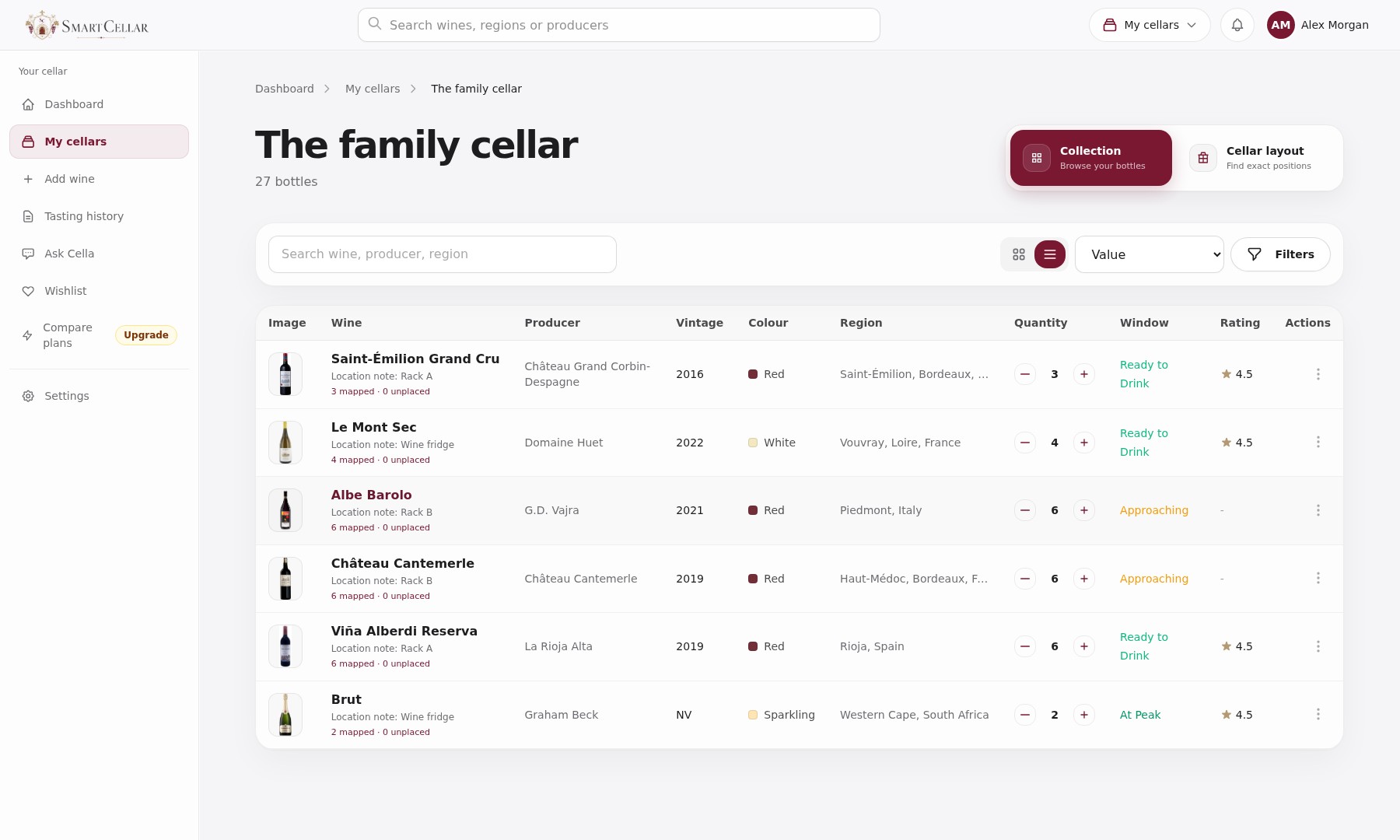
The wine, vintage, quantity and storage location are the essentials. You can also record purchase details, drinking windows and tasting notes.
Yes. SmartCellar is available on the App Store for iPhone and through a desktop browser, using the same account and cellar records.
No. Your collection is private by default. You decide whether to share a cellar with another user or publish a link to a particular bottle or tasting note.
One cellar and up to 50 bottles. No card required.