Bottle counts and locations
Record each wine and vintage with its quantity and location. Use names such as “Rack B, row 3”, “Kitchen fridge, top shelf” or the storage reference supplied by your merchant.
Keep a searchable wine inventory with bottle counts, storage locations and purchase details.
One cellar and up to 50 bottles, free. No card required.
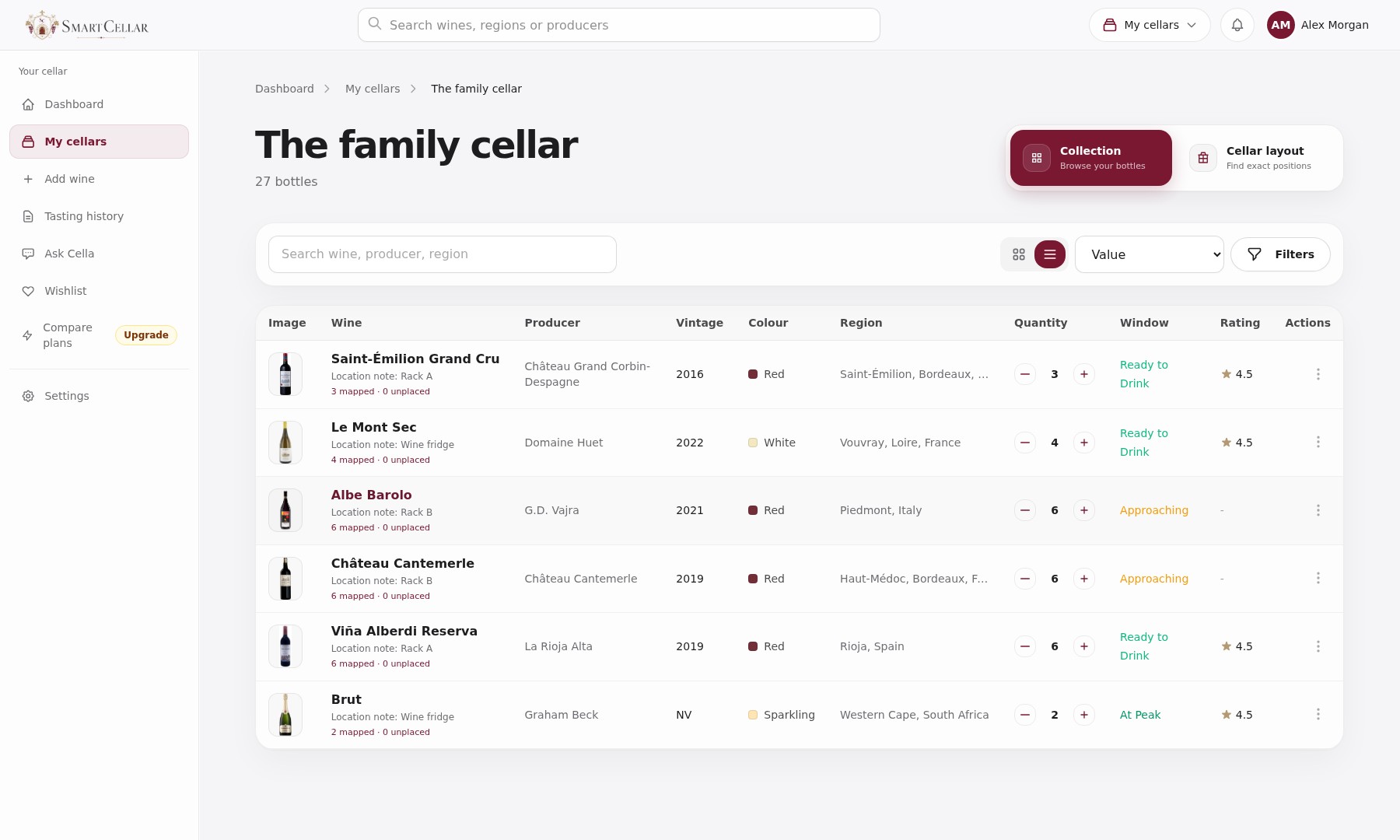
Record each wine and vintage with its quantity and location. Use names such as “Rack B, row 3”, “Kitchen fridge, top shelf” or the storage reference supplied by your merchant.
Keep the merchant, date and price for each purchase, including separate orders of the same wine. See what you paid for the bottles you still own, alongside estimated retail prices where available.
Another case of a favourite? Add the new bottles to the wine already in your cellar, with their own purchase details. For a wine you haven’t bought before, photograph the label and give the bottles a place in your racks.
Suppose you have six bottles of the same wine: four in Rack A and two in the kitchen fridge. Record both locations in your notes or place the bottles in a cellar layout. Moving a bottle to the fridge leaves the total at six. Opening one reduces it to five.
Count the bottles and confirm the vintage before changing a quantity. Check other storage locations and recent deliveries or openings. If the count still differs, correct it and note the reason if you know it.
Record each purchase with its date, merchant and price. Another case increases the quantity you own while keeping its purchase details, so an earlier price is not confused with what you paid this time. Estimated retail value is shown separately from your purchase cost.
It keeps a searchable count of each wine and vintage, along with the storage location. Purchase details, drinking windows and tasting notes can be added to make that count more useful.
Yes. You can keep racks, shelves and a wine fridge within one cellar, with a place for each bottle. Paid plans also let you keep separate cellars.
No. Enter the wine, vintage, quantity and cellar first. You can add the other details later.
One cellar and up to 50 bottles. No card required.